Controls
under cover.
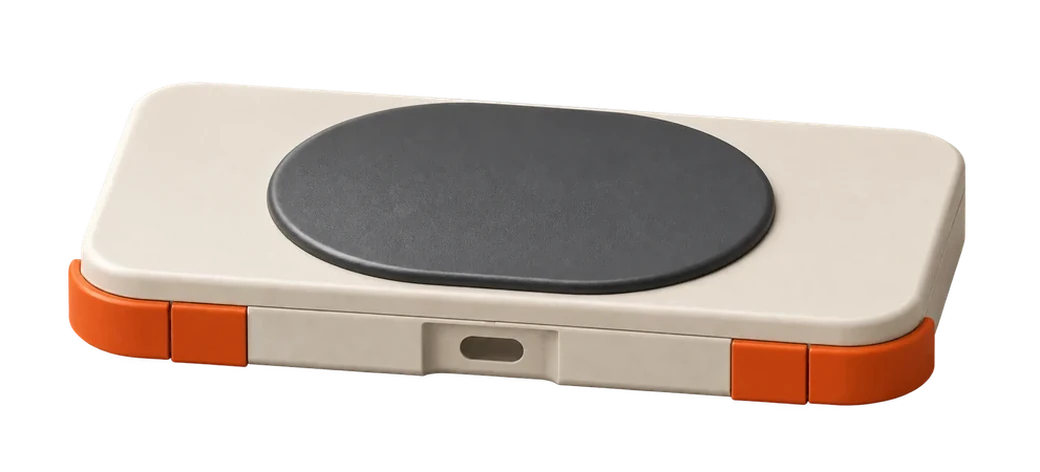
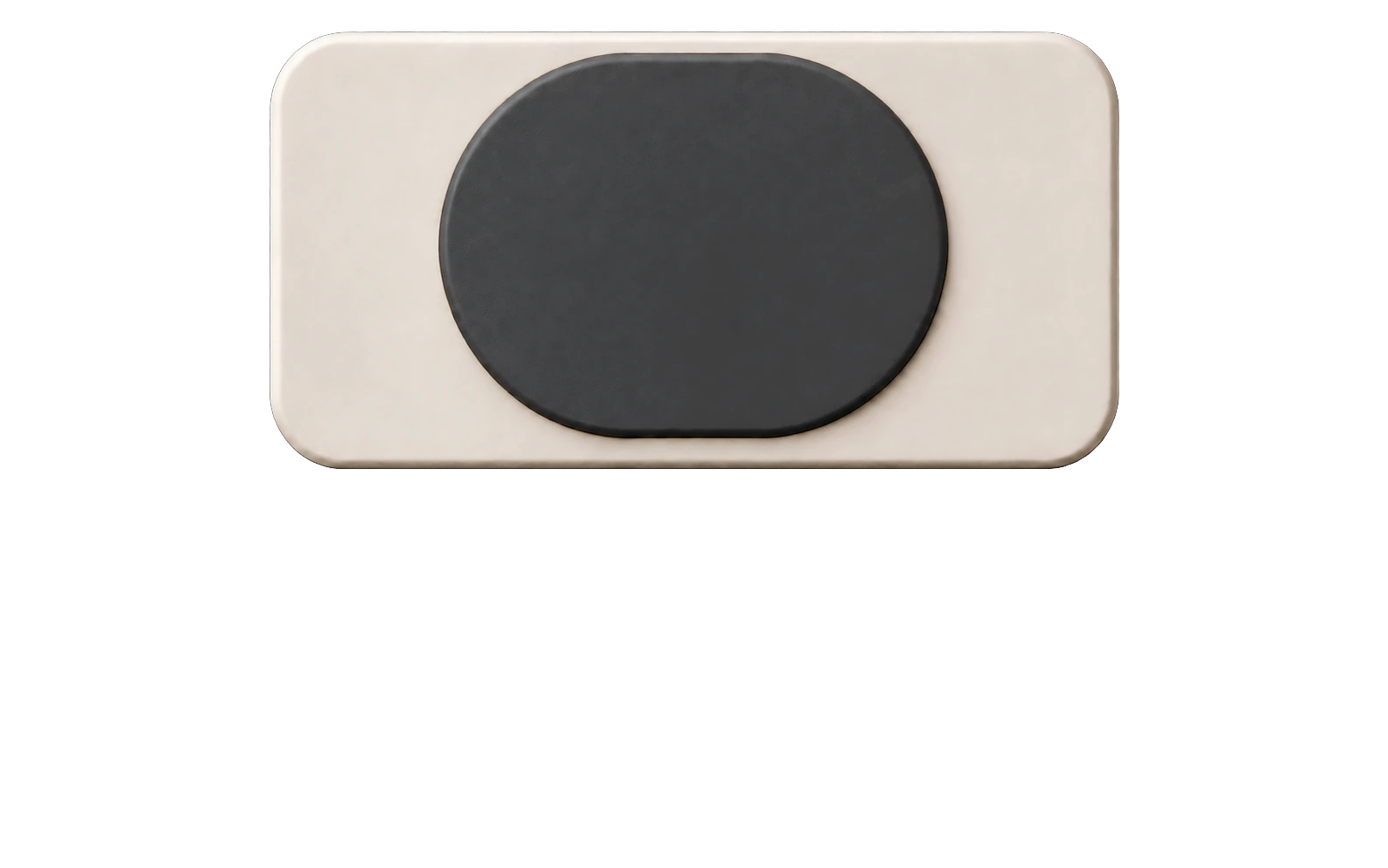
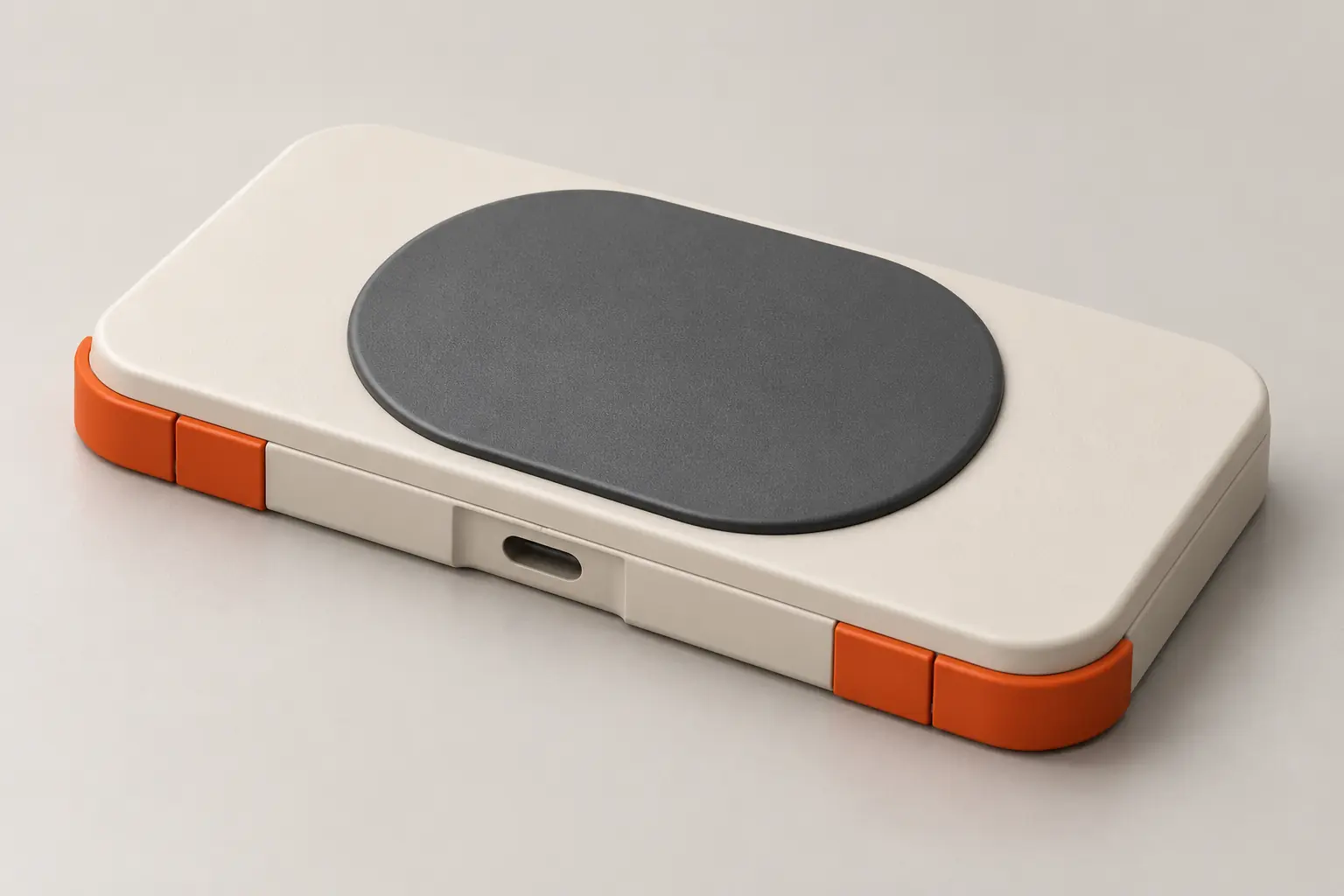
Closed, it becomes a flat case with a smooth top. It goes into your pocket with your phone, while the buttons stay covered and cannot click as you walk.
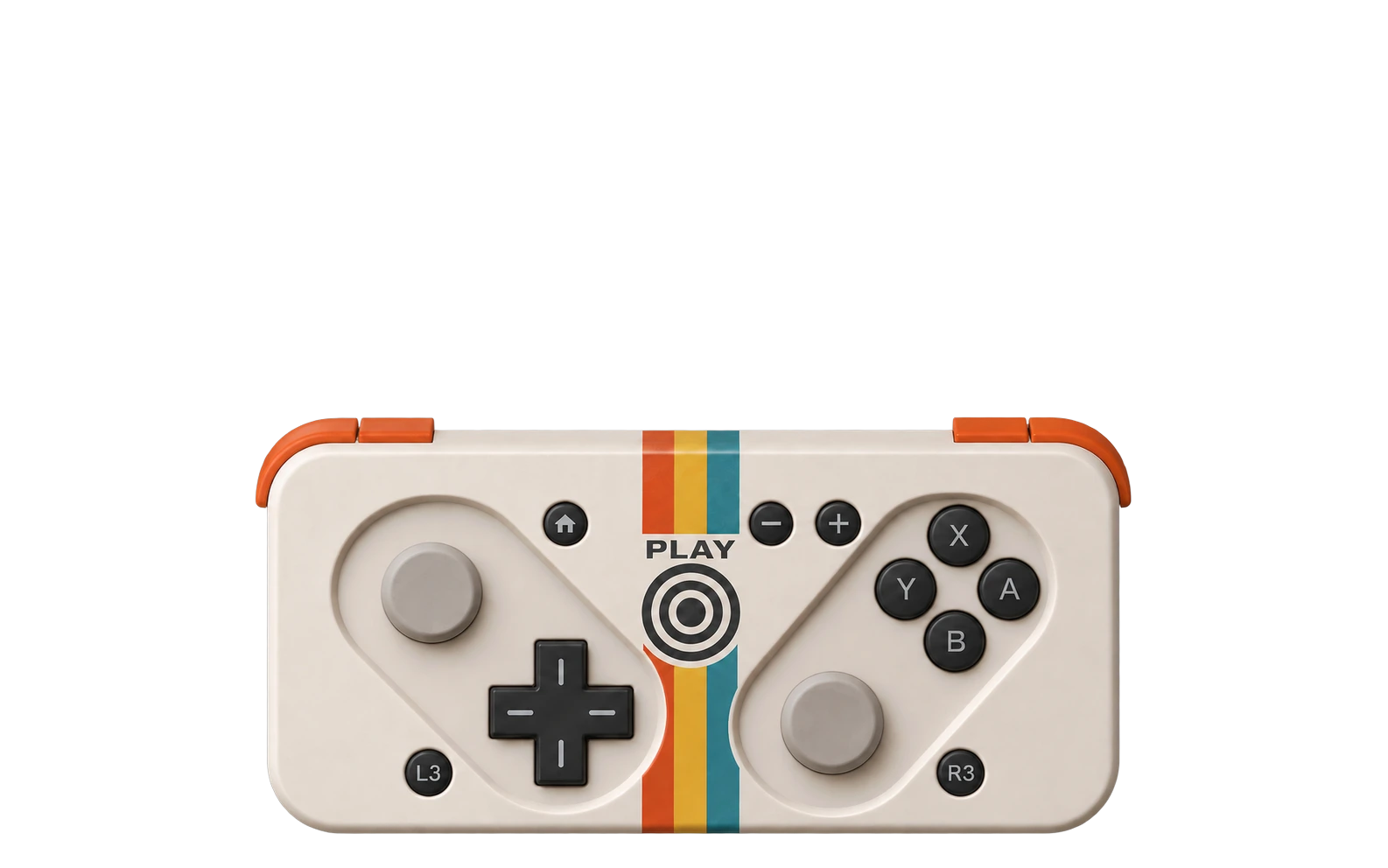
A controller made to fit in your pocket.
The whole idea comes down to one movement. The top half slides along a rail to reveal the controls, then closes again when you are done. There is nothing to unfold, tighten or carry separately.
Closed, it becomes a flat case with a smooth top. It goes into your pocket with your phone, while the buttons stay covered and cannot click as you walk.
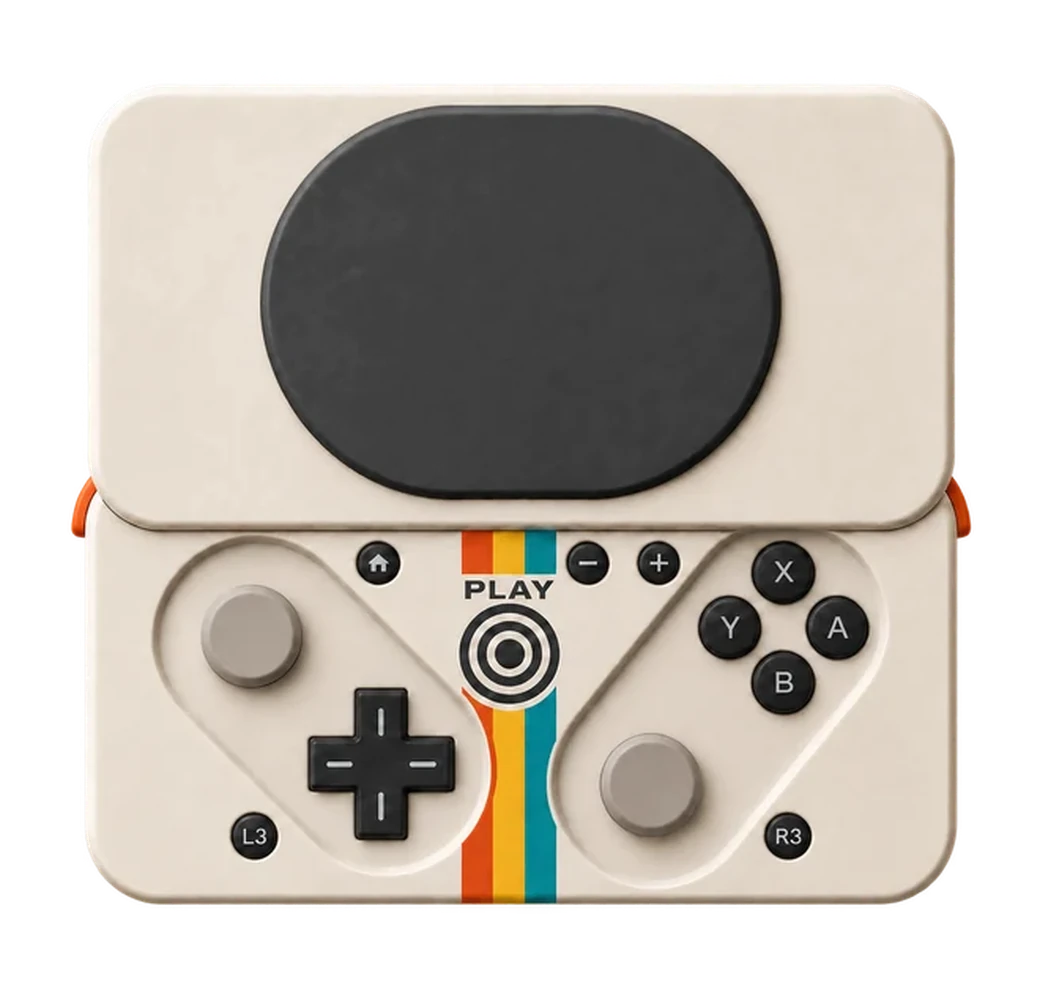
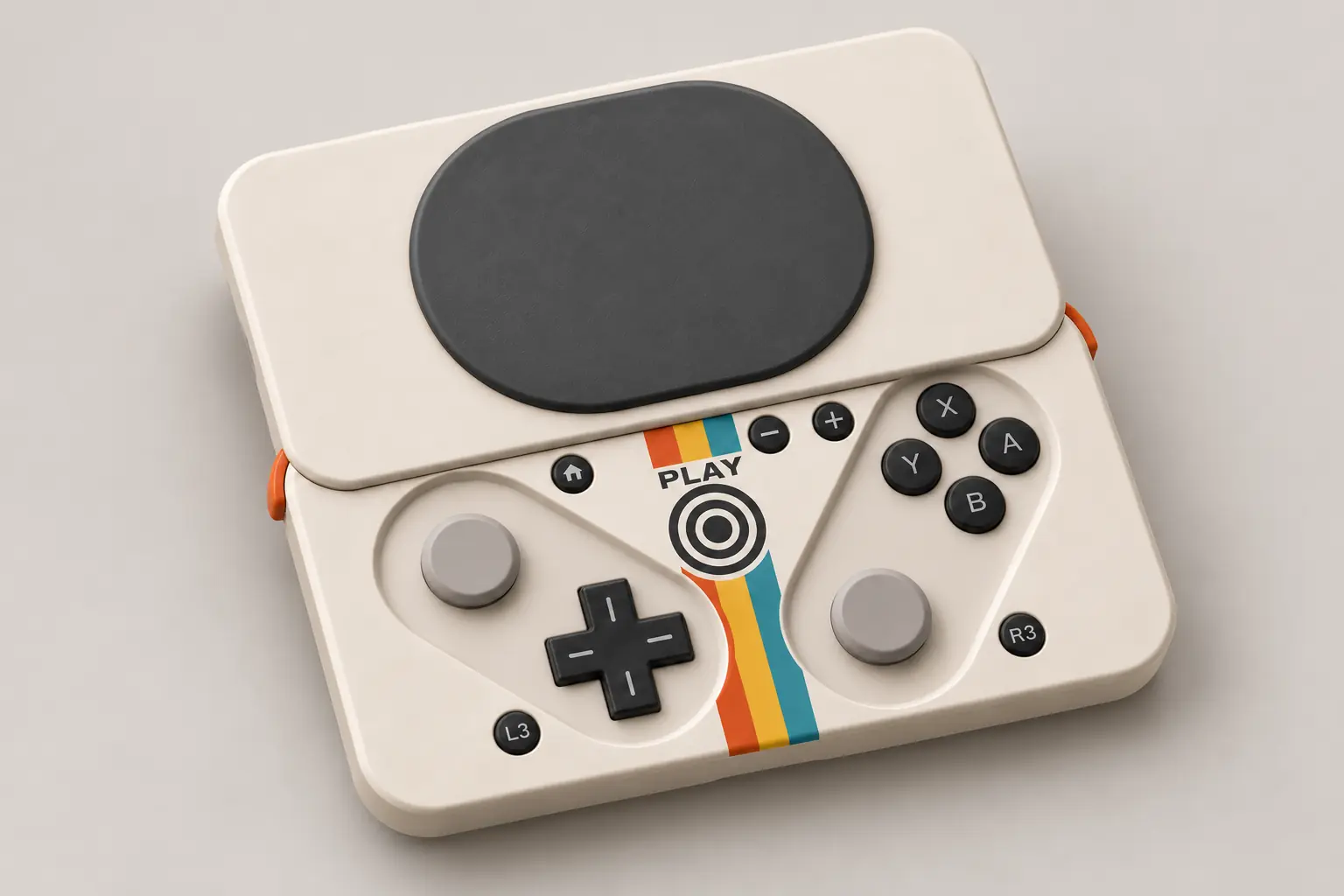
One movement gives you a full set of controls: a D-pad, four face buttons and two analog pads laid out like a regular controller. The phone attaches magnetically to the top cover.
I saw this kind of controller in a Josh King video and it won me over immediately. I looked around and found several earlier attempts. Most never made it to the finish line despite raising money. Some returned the funds without explanation, some mentioned pressure from larger companies, and some simply went quiet. I do not know what happened and I am not going to guess.
Josh took a different route. He showed his prototype, raised some money, burned through it and hit a wall. Then he contacted Ohsnap, the company behind magnetic phone mounts. They saw the potential and brought their experience and funding. A very successful Kickstarter followed, and MCON reached the market.
This is where my reservations began. MCON is fairly thick. I could not see myself using the phone normally while it was attached, and many people raised the same issue. I now know that an extremely thin first version is unlikely, and I am fighting for every millimeter myself. Still, thickness was a problem I could try to solve.
The PlayStation style analog layout also felt wrong to me. I never owned a PlayStation and never built the habit. This is not about taking sides. My first console was a Polish Pegasus clone bought at a market, with Nintendo cartridges from the next stall. Then came a friend's N64, my first Xbox, the 360, the One, several DS models and a Switch. After that sequence, one button layout simply stuck.
Then there was the price of MCON, international shipping and probably import duties. I thought: how hard can it be to build my own controller? I ran a paint shop for twelve years, rebuilt crashed cars and made custom projects for clients. After hours I wrote apps, built websites and assembled mining rigs. I also like to draw. Why not try.
I began with a sketch, then moved to CAD, a 3D printer and a soldering iron. It turned out to be far from easy. Along the way I came to understand many decisions by other companies that had seemed strange before. I have now built around twenty prototypes, and every one had something wrong: a bad measurement here, a part that would not fit there, another one sitting too deep, one button refusing to press and another clicking too hard. That process is also the most enjoyable part.
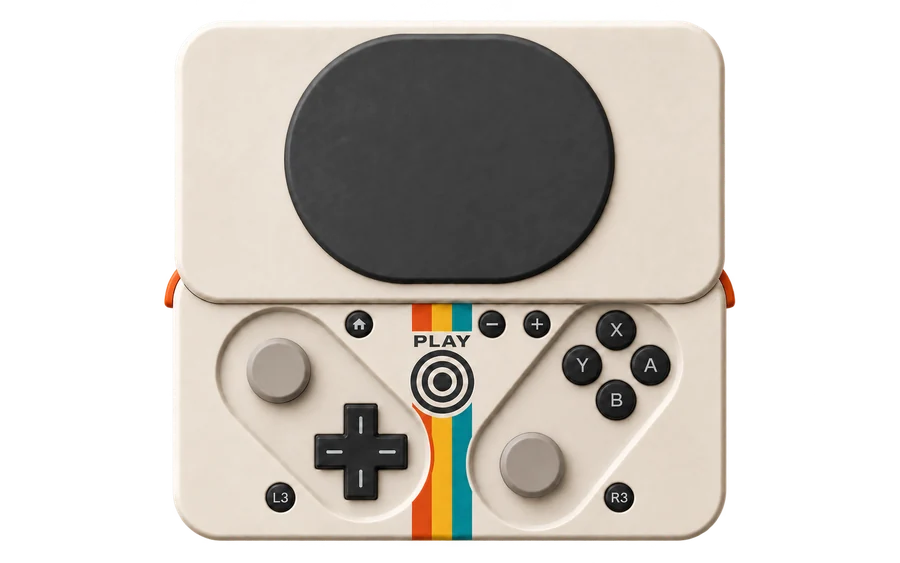
Point at a marker to see its description.+ L, R, ZL and ZR sit along the top edge.
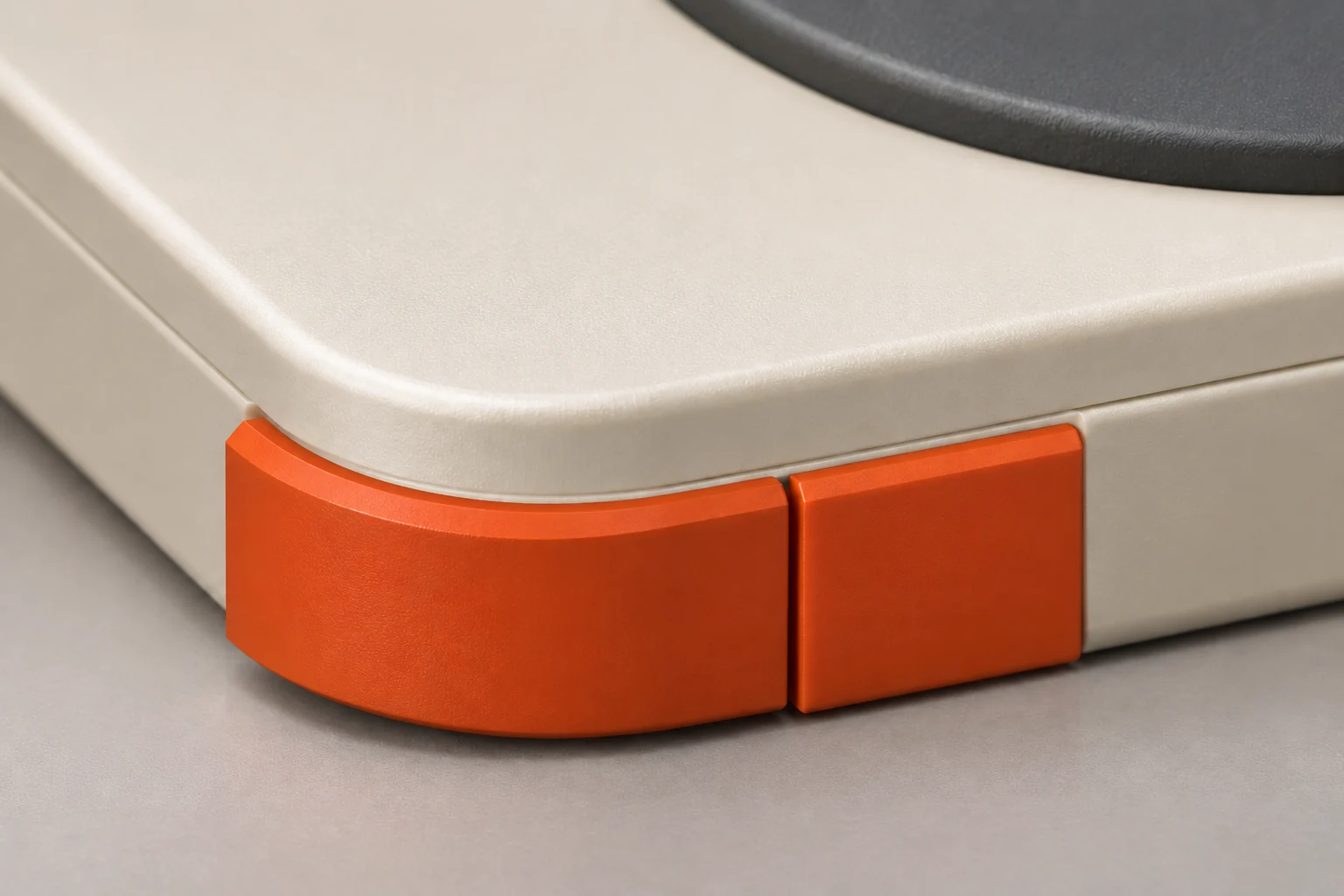
The case is cream and the buttons are graphite. Orange appears only along the edges and in the stripes through the center.
The colors came from a set of Game Boy and Atari posters I kept running into. I cannot explain why this palette feels so right for retro hardware, but it does. When I think of a phone controller, emulation is the first thing that comes to mind, so the controller can look like hardware from that era. PLAY above the target is a graphic, not the product name. Pokkio is engraved on the underside.
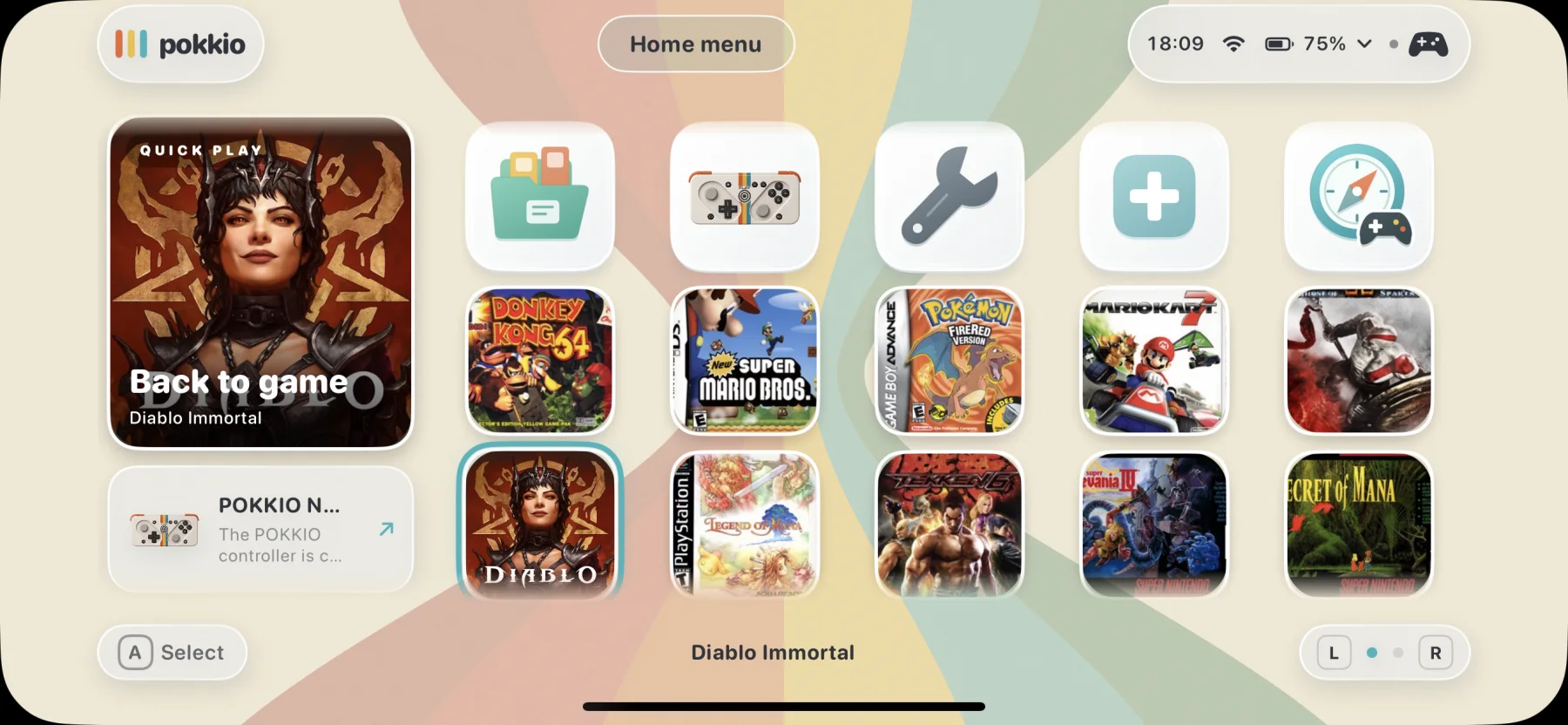
The controller alone was not enough. I wanted everything to be ready when the phone connects: the last game, the library, settings and a shortcut for adding more titles.
That is why I built the Pokkio app. It should feel like a small console and work without reaching for the touchscreen.
The large card remembers your last game and takes you straight back into play.
Move through the menus with the D-pad or an analog pad.
Battery, connection and the selected button layout stay visible.
I did not want another catalog of cover art. The library should shorten the path from unlocking your phone to the first move in a game.
Emulators for newer consoles on iOS still require JIT. That is why I do not add everything I find. When I come across a game that someone has ported well and that actually works, I integrate it with Pokkio.
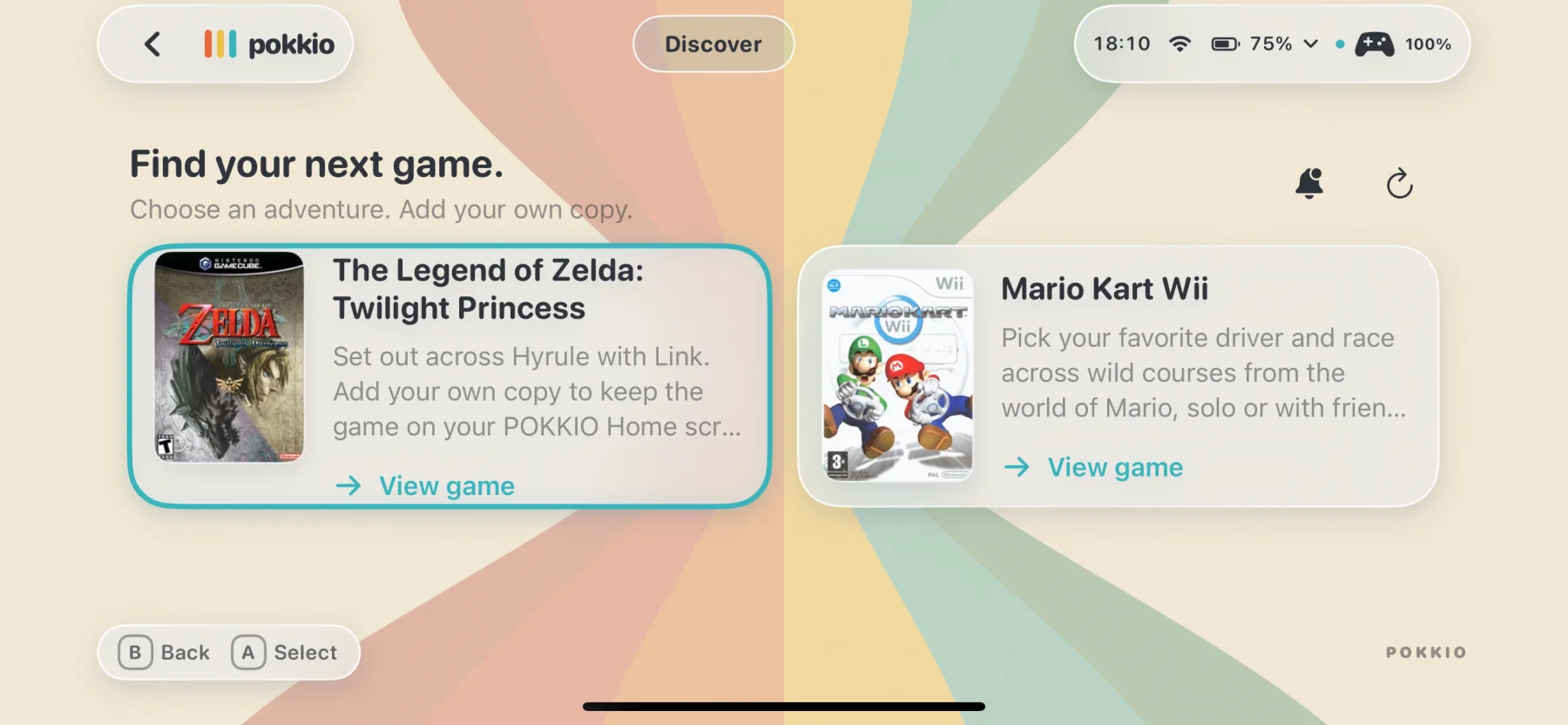
Discover collects these tested integrations. If you own a copy of a supported game, choose the file and launch it.
It makes the most sense in motion. Choose a platform, arrange your library, adjust the settings and launch a game without leaving the same interface.
The library responds to the controller like a console menu.
Sound, haptics and control settings are built into the app.
When you finish playing, you return exactly where you started.
Project status
The design is still changing. I am not giving a price, launch date or final specification because I do not know them yet.
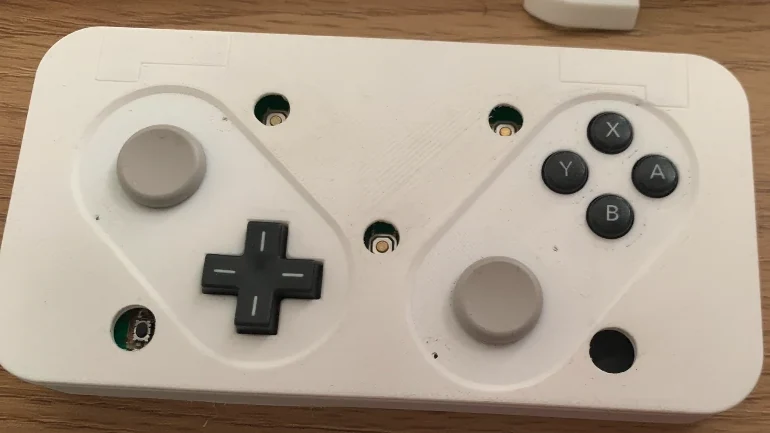
This case has already been printed and fitted with buttons. It is enough to check the dimensions and how it sits in the hand.
From the workshop / preview

These dimensions come from the current CAD model, not a finished unit. The case is still changing, so the numbers may change too.
No. The project is still in development. There is no price or launch date, and I am not taking orders. First I want to find out whether people are interested. If they are, I will add a signup here and use it to share progress.
Today it works with iOS, Android, macOS, Windows and Linux. Switch support is still in progress. The original Switch detects this version, but the protocol has to be switched physically, so I would not call it proper support yet.
For phones, I test what I have on hand: several Xiaomi and Samsung models, plus the iPhone 12, 12 mini and XS Max. I also printed dummy models of other phones, including an iPhone 17, to see how they fit. So far it looks good, but looks is the key word. I do not see this working well with a tablet or a foldable. I have not tested every game, but the controller is detected as an Xbox controller, so it works with emulators and games that support that input.
With a magnet in the top cover. I am targeting MagSafe and looking for a magnet strong enough to hold the phone securely without turning the cover into a thick slab. This is the part I have spent the most time on. Phones without MagSafe can use an adhesive ring on the case. I will test which models and cases hold securely on a finished unit.
I could not find low-profile analog controls that also click. I chose Circle Pads like the ones in the 3DS, and those do not press down, so L3 and R3 had to become separate front buttons. My preference for Nintendo layouts also played a part. I found slightly lower clickable sticks in Japanese shops, but reviews repeatedly described them as uncomfortable, so I passed.
The current dimensions are shown above: 128 × 65.5 × 13.45 mm with 53 mm of slide travel. These numbers come from the model rather than a finished unit, so they may still change. I have not measured battery life because the final electronics are not inside this case yet. The target is around eight hours from a roughly 400 mAh battery with USB-C charging. Treat that as a goal, not a test result.
The difference is whether you will actually carry it. A telescopic controller such as the Backbone One, Razer Kishi or GameSir X2 stretches sideways and clamps the phone between two grips. It holds securely, but the grips and their thickness remain when it is closed, so it goes into a backpack rather than a pocket. A sliding controller moves two halves of the case past each other and closes to 13.45 mm, so it can share a pocket with the phone. The phone is held by a magnet rather than a clamp. I chose portability because a controller left at home cannot be played.